
Depending on the bike, the Smart.Shift system can be calibrated in three ways:
1. Via the e-bike display in service mode:
Please refer to the documentation provided by the relevant bike manufacturer.
2. Via the Pinion E-Trigger:
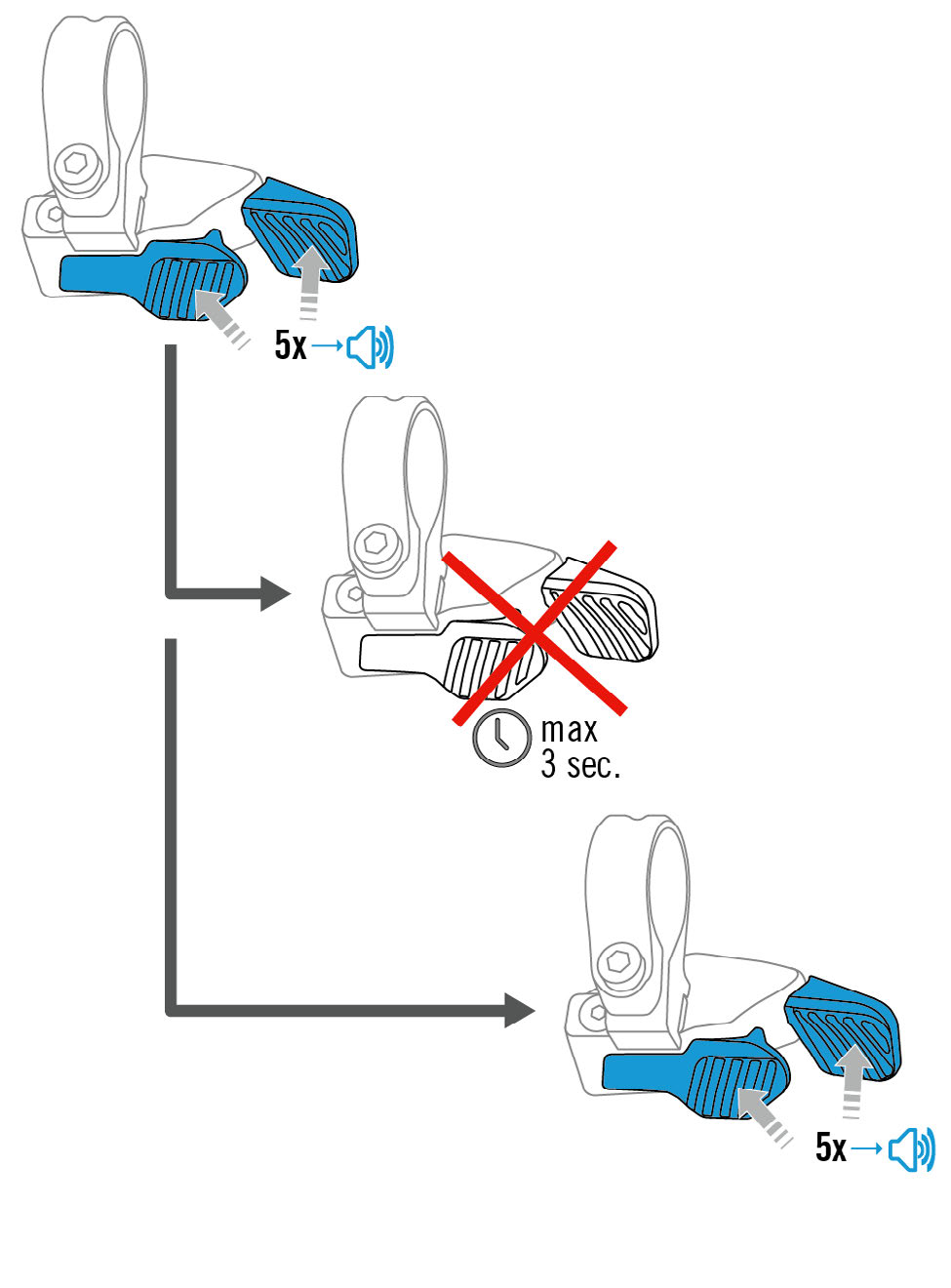
- Press both shift buttons on the Pinion E-Trigger simultaneously for 5–10 seconds.
- Then release the buttons and, within 3 seconds, press and hold both buttons again for 5–10 seconds.
- The Smart.Shift box will beep briefly once every second whilst the buttons are held down.
3. Using the Pinion Smart.Shift app:
If the Smart.Shift box is compatible with the Pinion Smart.Shift app, calibration can also be carried out via the app.
- To do this, connect the Smart.Shift box to the app. More information on the Smart.Shift app here - Pinion Smart.Shift App : FAQ.
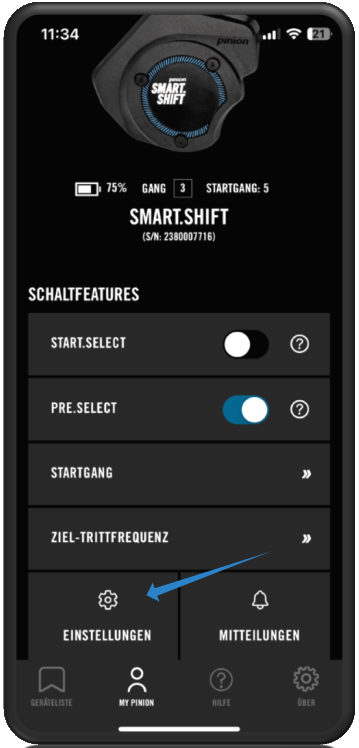
- Select the relevant Smart.Shift box from the device list.
- Under ‘My Pinion’, navigate to ‘Settings’
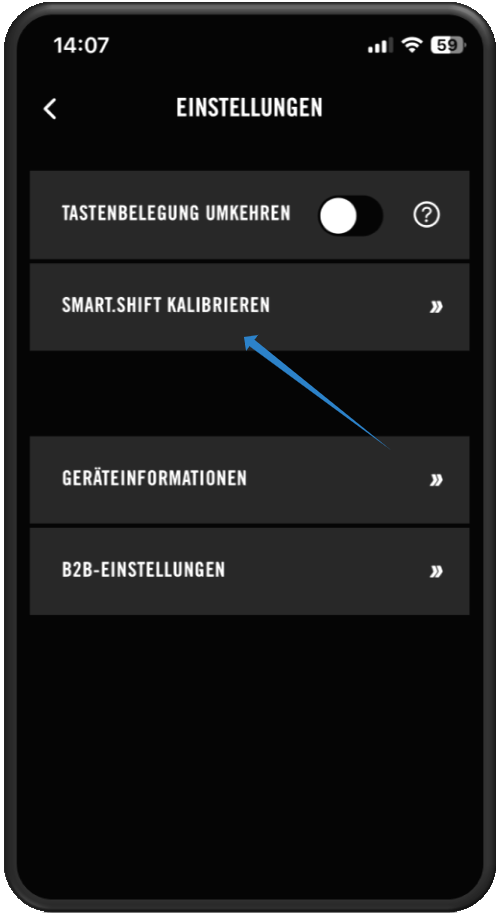
- Tap the ‘Calibrate Smart.Shift’ button
- Calibration takes around 8–15 seconds. During calibration, the Smart.Shift LED flashes yellow.
- Once calibration is complete, the LED will be off.
- If calibration was unsuccessful or another error has occurred, the LED will flash red or yellow.
- Calibration cannot be completed successfully if the Smart.Shift Box has been removed.
Note: Either no cranks or both must be fitted. Fitting just a single crank will result in an error during calibration!